
Story Moments
Break the story into the essential moments the audience needs to see. Each Story Moment becomes one storyboard panel.
Go to this step →Pre-Production
A practical production handbook for turning story ideas into clear, consistent storyboards—then using them on set or as the foundation for AI video.
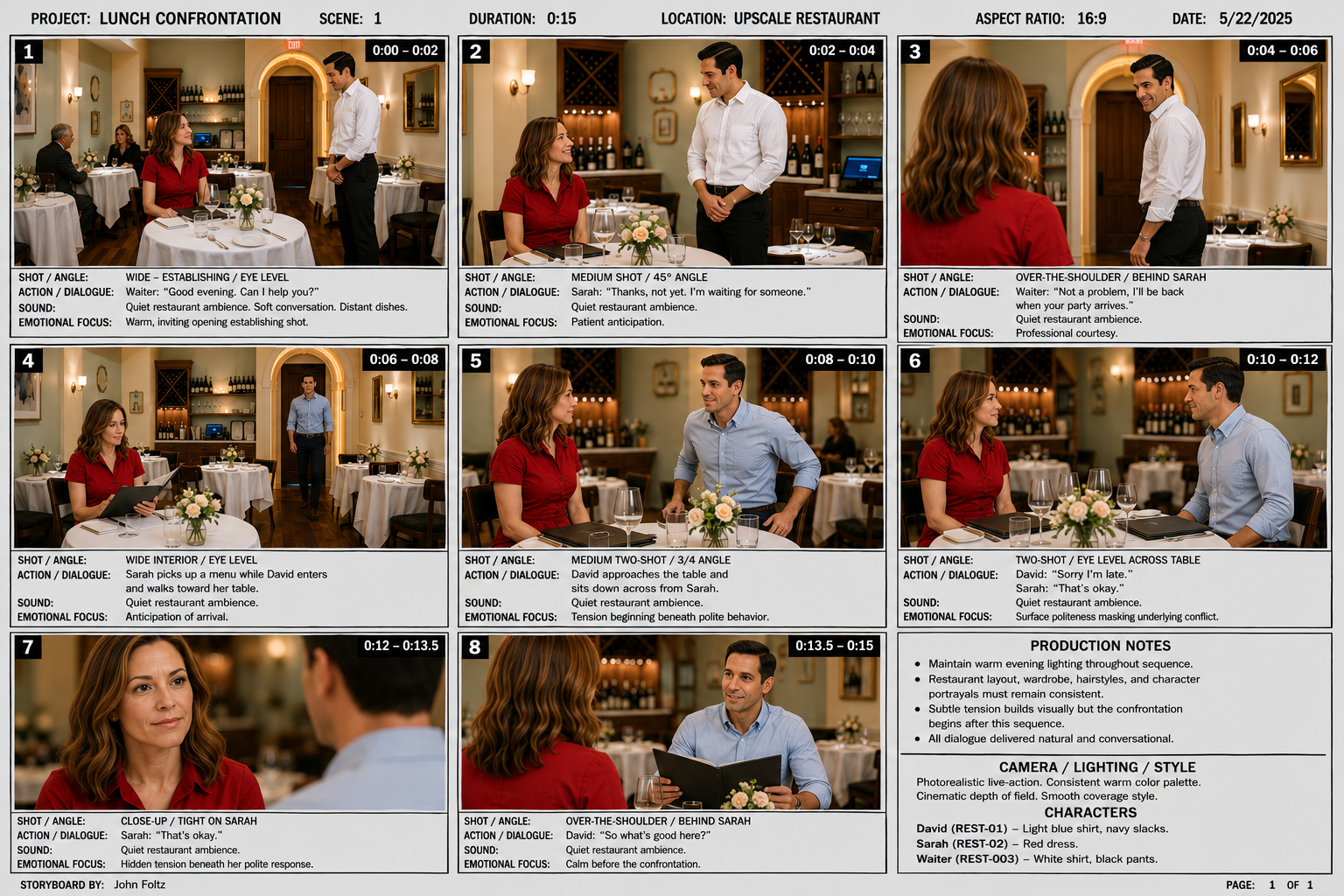
The Production Map
AI supports pre-production. The goal is not simply to generate an attractive image—it is to create a visual plan that can guide directing, cinematography, continuity, and editing.
Break the story into the essential moments the audience needs to see. Each Story Moment becomes one storyboard panel.
Go to this step →Define each character’s identity, appearance, wardrobe, and visual style before generating storyboard images.
Go to this step →Combine the cast, location, action, camera, lighting, mood, and rendering style into one structured prompt.
Go to this step →Create the storyboard, review every panel for continuity, and revise the prompt until the visual plan works.
Go to this step →Story Moments
Sometimes called a Story Beat, a Story Moment is one meaningful event the audience needs to see. It may show an action, discovery, decision, reaction, or emotional change. In this workflow, each Story Moment becomes a different panel in the storyboard.
Write the moment as a clear visual event. Concentrate on what happens. Camera instructions can be added after the story is working.
Emily notices a black notebook left on the campus bench. She stops, turns back, and looks at it.
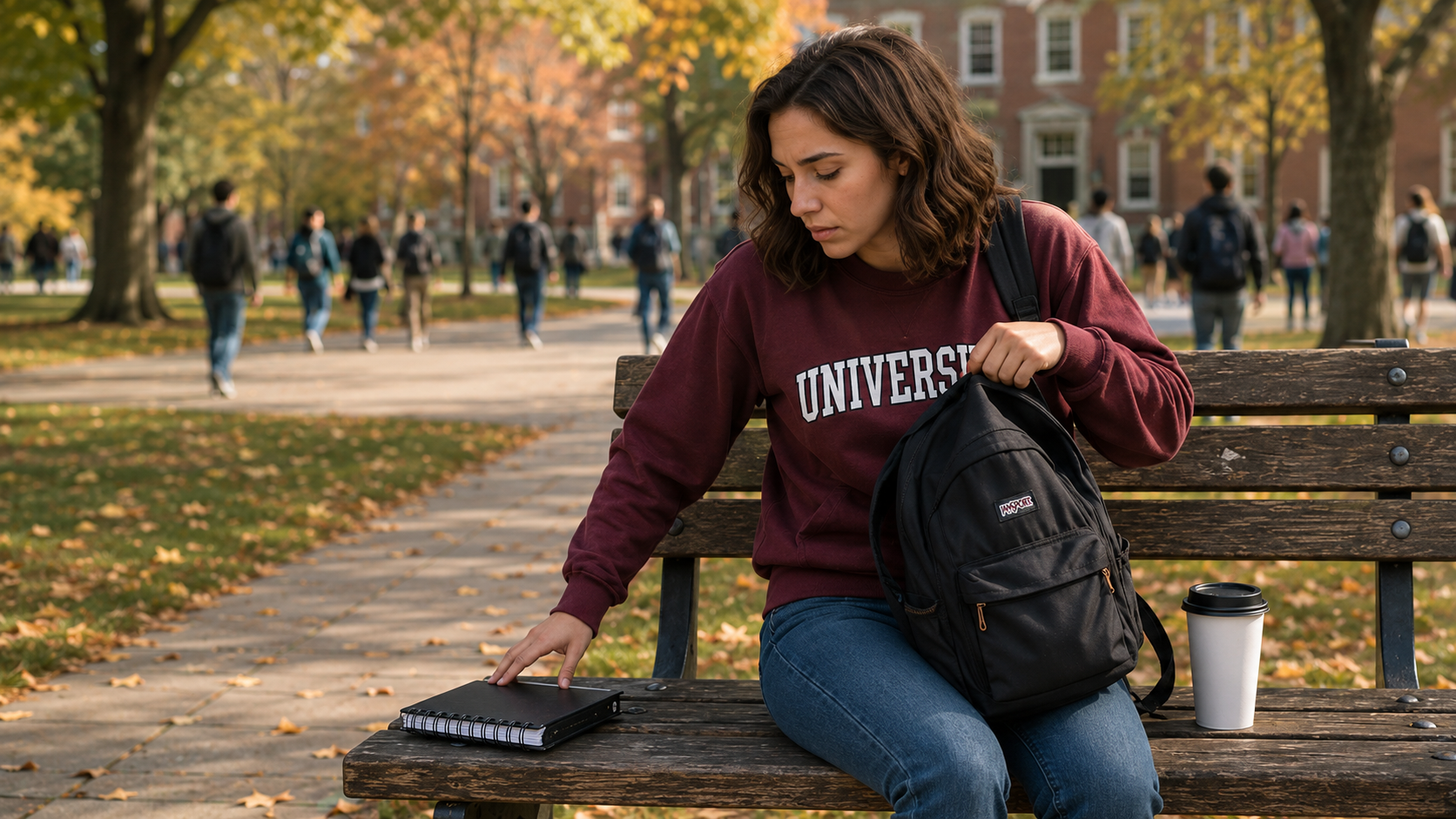
Production Tool
Write what happens, moment by moment. Each moment becomes one beat of your story prompt.
Character Sheets
A character sheet is a visual reference that helps an image model repeat the same face, body, wardrobe, colors, and accessories in every panel.
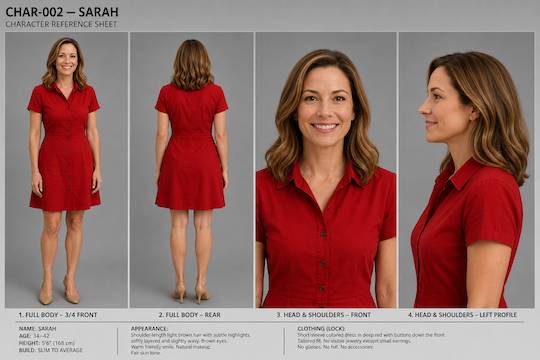
Production Tool
Build reusable characters, generate a four-view reference-sheet prompt, and save characters for use in later productions.
Storyboard Prompt
A prompt is easier to review and revise when it's built in sections instead of one long paragraph. Each numbered layer below shows what to consider for that section. Keep the approved Story Moments in their exact order at the bottom of the prompt, with one panel for every moment.
Who is visible? Use the locked descriptions and reference sheets.
Where does the moment happen? Include time, weather, and important details.
What happens in this exact Story Moment? Describe one clear visual event.
Choose shot size, camera angle, position, lens, and movement.
Define the light direction, color, atmosphere, and emotional tone.
State the visual medium, realism level, aspect ratio, and continuity rules.
Storyboard-Builder Output
You are an expert Hollywood storyboard artist, film director,
animation designer, and AI prompt engineer. Your job is to create
a single, detailed storyboard image prompt for GPT Image 2
from the uploaded character reference sheet(s) and the approved Story Moments below.

CHARACTER ANALYSIS
- Study the uploaded character sheet(s): facial features, hairstyle,
  body type, age, clothing, accessories, colors, unique details.
- Keep every character visually identical to their sheet across all panels.
- Cast in this story:
  1. Martin (Martin) — 20
  2. AI Agent (AGENT) — 20
  3. Pirate-Nabeel  (Pirate-Nabeel) — 45 , Medium build. , Brown hair. , Brown , A white pirate shirt. , Black and white striped pirate pants , A blue pirate vest.

STORY RULES
- Create exactly one storyboard panel for each numbered Story Moment.
- Preserve the order, characters, action, dialogue, narration, mood,
  sound, and timing supplied for every moment.
- Do not add, remove, combine, or rewrite major story events.
- You may choose the camera framing, angle, composition, expressions,
  and visual staging that best communicate each approved moment.

STORYBOARD STRUCTURE
- 1 panels, 15 seconds, 3x3, 16:9.
- Each panel: panel number, time position, camera angle, main
  action, character expression, key environment detail, emotional
  focus.
- Vary shot types (wide, medium, close-up, low angle, high angle,
  over-the-shoulder, dynamic action) — no two consecutive panels
  with the same composition.
- Carry dialogue, narration, and sound into small panel notes where useful.

VISUAL STYLE
- Photoreal — identical across every panel.
- Additional style notes: Include the dialog and shot instructions in each panel

SHEET DESIGN
- Present as one professional storyboard sheet: numbered frames,
  timeline indicators, small production notes, neutral background,
  production-ready layout.

OUTPUT RULES
- Output ONE continuous image-generation prompt combining every
  panel into a single storyboard sheet — not separate prompts per
  panel.
- Do not explain your reasoning or summarize the story separately.
- Note any assumptions you made about style or missing details at
  the end, briefly.

---
STORY IDEA: A student orders an AI agent online and discovers it's more powerful than they thought.
STORY STATUS: Story ready

APPROVED STORY MOMENTS:
PANEL 1 (15 seconds)
Action: Moment 1 = What happens
Dialogue: Martin: "Dialog for character Martin" | AI Agent: "Dialog for character AI Agent"
Voice-over/narration: optional voice-over narration
Mood: A mood selector field
Sound: Ambience, sound, music
Generate + Review
Review the storyboard as a production document. Fix the prompt and regenerate when a panel changes the action, loses continuity, or cannot be reproduced with a real camera.
First Draft — Revision Notes
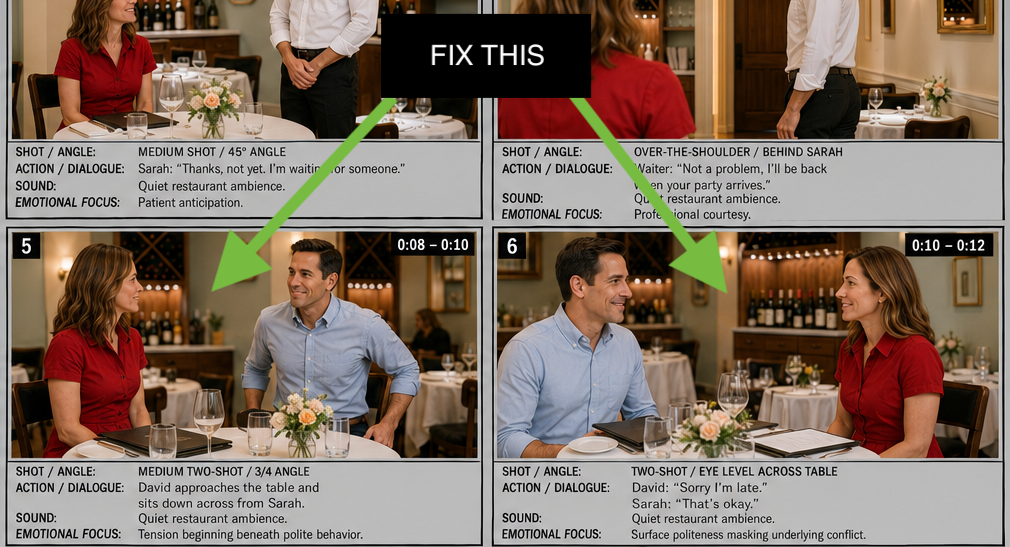
The characters have switched seats. Change one of these panels.
Revision Loop
After the Storyboard
For most classes, the storyboard becomes a guide for real cameras, lighting, sound, directing, and editing. Advanced projects may use the approved panels as references for AI-generated video clips.
Convert panels into a shot list, plan coverage, shoot the scenes, and edit the finished film.
Use approved panels as visual references, add motion and sound instructions, then generate short clips.